 YT → MP4
YT → MP4
YT → MP4
A quality picker in the player, progress while it runs, and a history of what you already have. The file lands in your Downloads folder.
Everything runs on your own machine. No server of mine sits in the middle.
Latest release: checking…
Everything the extension needs in one file: the extension, the local host, a portable Python, yt-dlp, ffmpeg and deno. It installs for your own account, so it never asks for an administrator password, and removing it from the list of installed apps takes away every file and registry entry it added.
Download installer
The same extension with install.ps1, which gets Python,
yt-dlp, ffmpeg and deno through winget instead of carrying them. For
when you would rather keep those tools up to date yourself.
The installer is not signed with a certificate, so SmartScreen shows “Windows protected your PC”. Choose “More info”, then “Run anyway”.
The extension is not in the Chrome Web Store, so you load it once by hand:
open chrome://extensions, turn on developer mode, choose
Load unpacked and paste the folder the installer's last page shows,
%LOCALAPPDATA%\wtyczka-yt\extension. Loaded before the
installer has run, it opens a page that says what is still missing.
The panel and the popup are in Polish. It needs 64-bit Windows 10 or 11 and one of Chrome, Edge or Brave. Whether you may keep a copy of a given video is between you and whoever holds the rights to it.
YouTube serves video and audio as separate streams, which no extension API can join. So the extension asks a small local host to fetch both and mux them, and what you get back is one ordinary file.
A button next to the subtitles and settings, or Ctrl+Shift+Y.
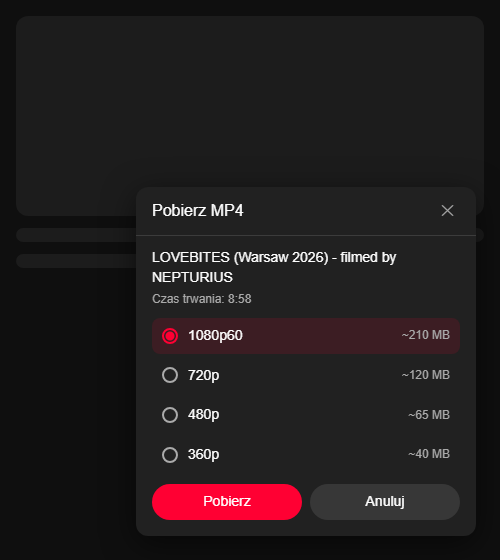
The panel lists everything from 144p to 2160p with an estimated file
size for each one.
The extension icon opens the current video, the downloads still running with a cancel button, and everything finished before them.
Show in folder, play in your default player, download again, or drop the entry. The list is the point, not a log.
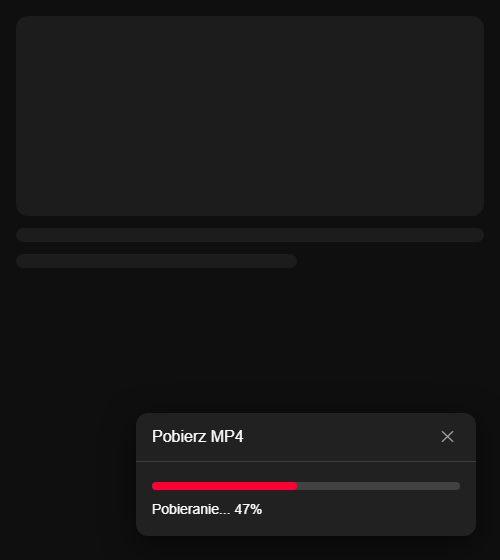
In the panel, on the toolbar badge and in Windows notifications, naming the phase it is in: video, audio, or merging the two.
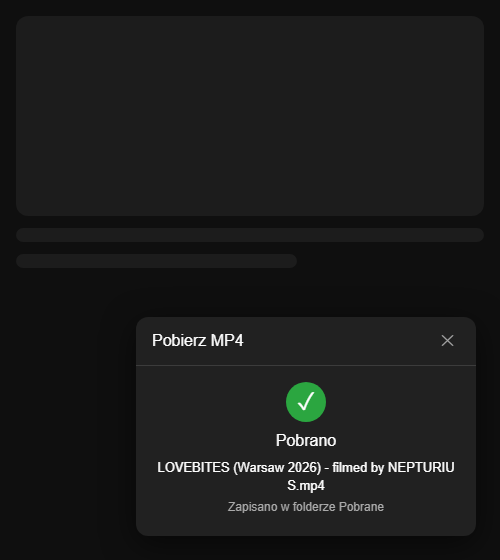
A single MP4, H.264 and AAC where they are available, written straight
to the system Downloads folder as
<title> [<video id>].mp4.
Everything lands in your own profile and the host is registered under
HKCU, with no administrator rights. Uninstalling the
installer version removes the folder, its caches and the registry
entries; the videos you saved stay.
Without a working host the panel and the popup do not just fail. A setup page names the problem, from no installation at all to an outdated or blocked host, and checks again with one click.
The same panel, from picking a quality to the file being there.
The extension talks to a program on your own computer and to nothing else. That program talks to YouTube, and once a day to GitHub for yt-dlp updates.
There is no account, no telemetry and no service of mine in the path. The extension hands the address to a local host, and the host fetches from YouTube exactly as your browser would. Once a day the yt-dlp the installer brought asks GitHub whether a newer version is out, because YouTube changes often and an old one stops working.
Native messaging, notifications, the active tab and local storage. The
content script runs on youtube.com and nowhere else.
The extension id is pinned by the key in its manifest, and the local host accepts messages from that id alone. Another extension cannot reach it.