 Treningi
Treningi
Treningi
Height, weight, goal, level, the equipment you own and the minutes you have. Out of that comes a cycle and a single screen with a single button.
No ads, no subscription, no account. The data stays on the phone.
Latest release: checking…
An APK to install from the phone. Android asks for permission to install from this source the first time. Later versions the app can fetch by itself, once you turn that on in Settings.
Download APKThe application interface is in Polish. It needs Android 8.0 or newer, and it is not on Google Play, so the first install is a manual one.
A plan you do not have to assemble, a workout that runs itself, and a history that decides when to make it harder.
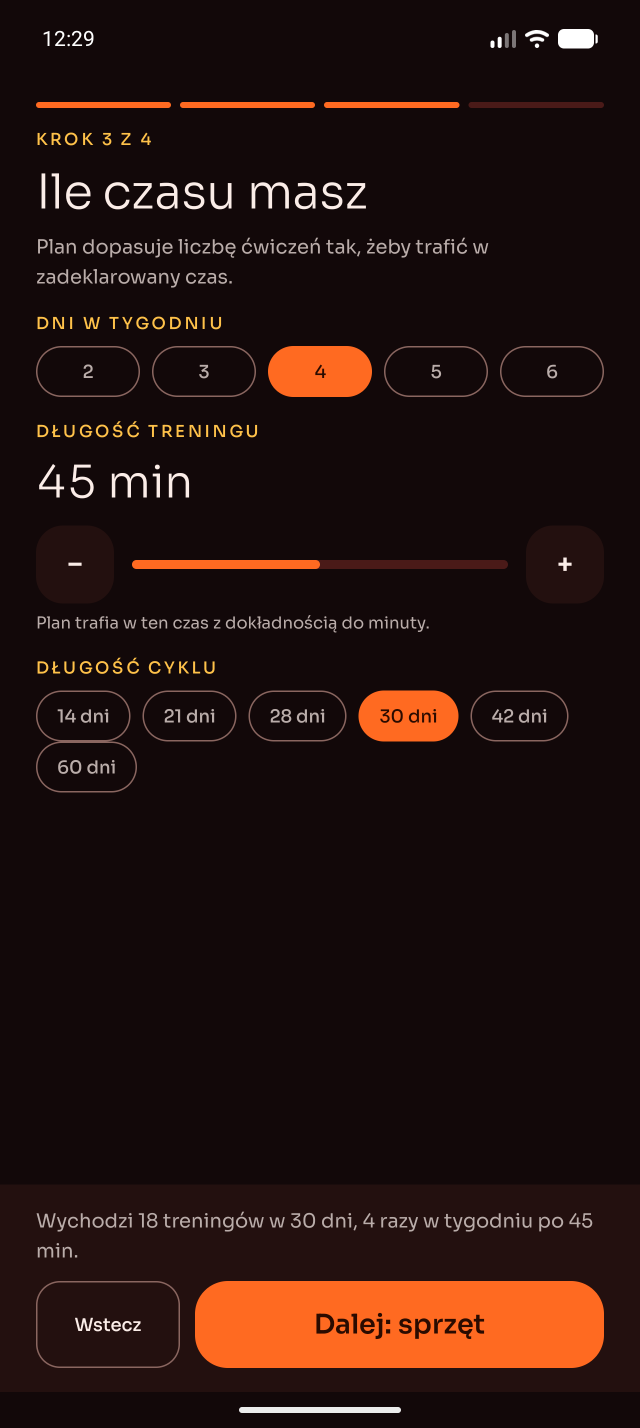
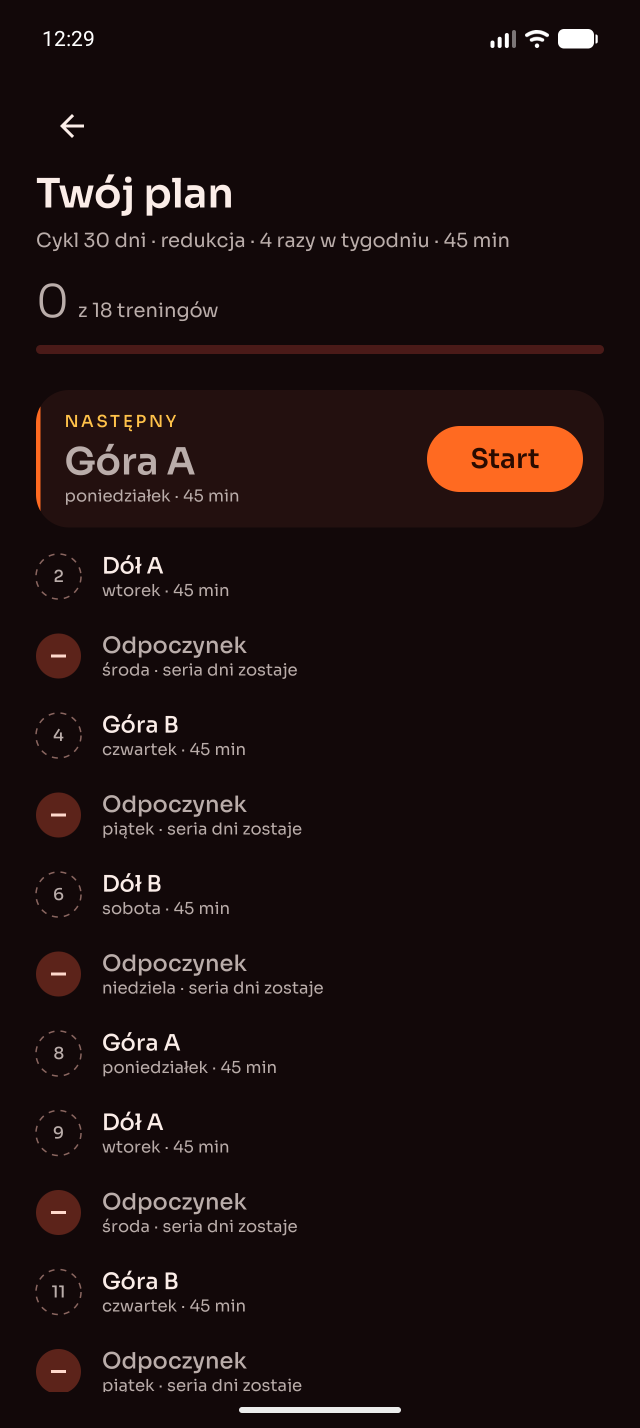
The wizard collects the profile, the generator builds a cycle, thirty days by default, and hits the session length you asked for to the minute. The same profile always gives the same plan; nothing is drawn at random.
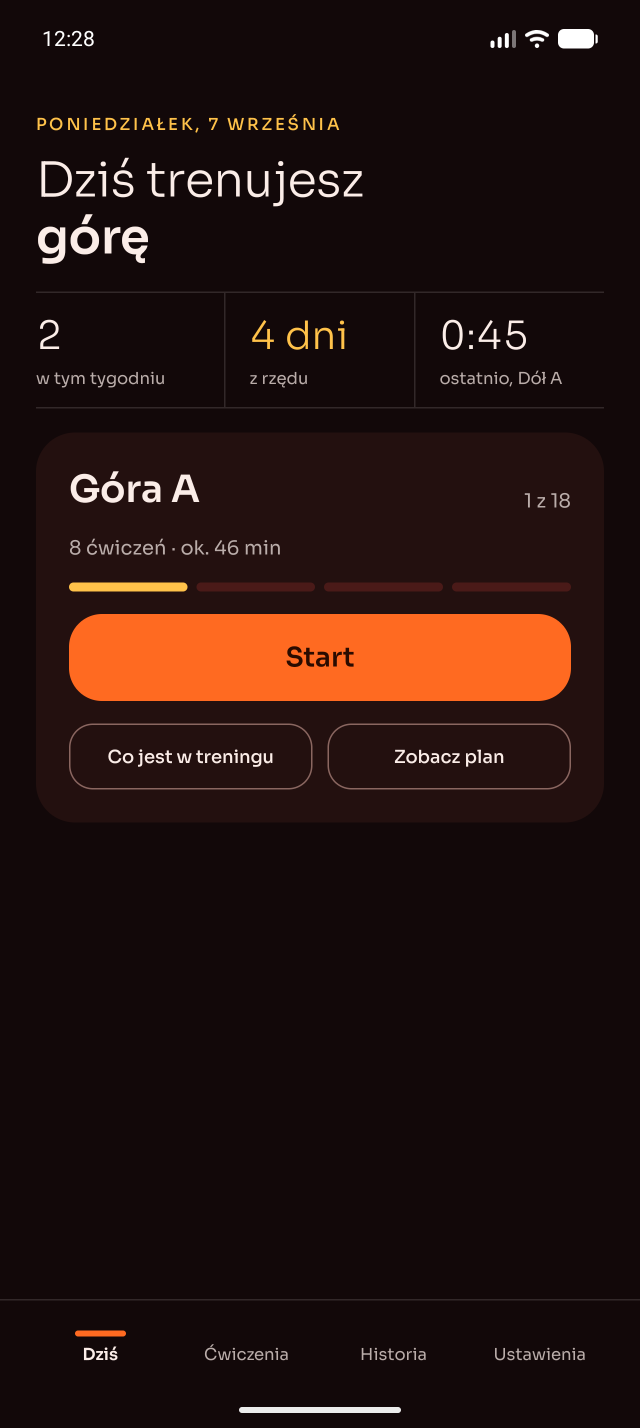
“Today” is the name of the workout, the number of exercises, the time and Start. There is no list to pick from and no decision to make before you begin.
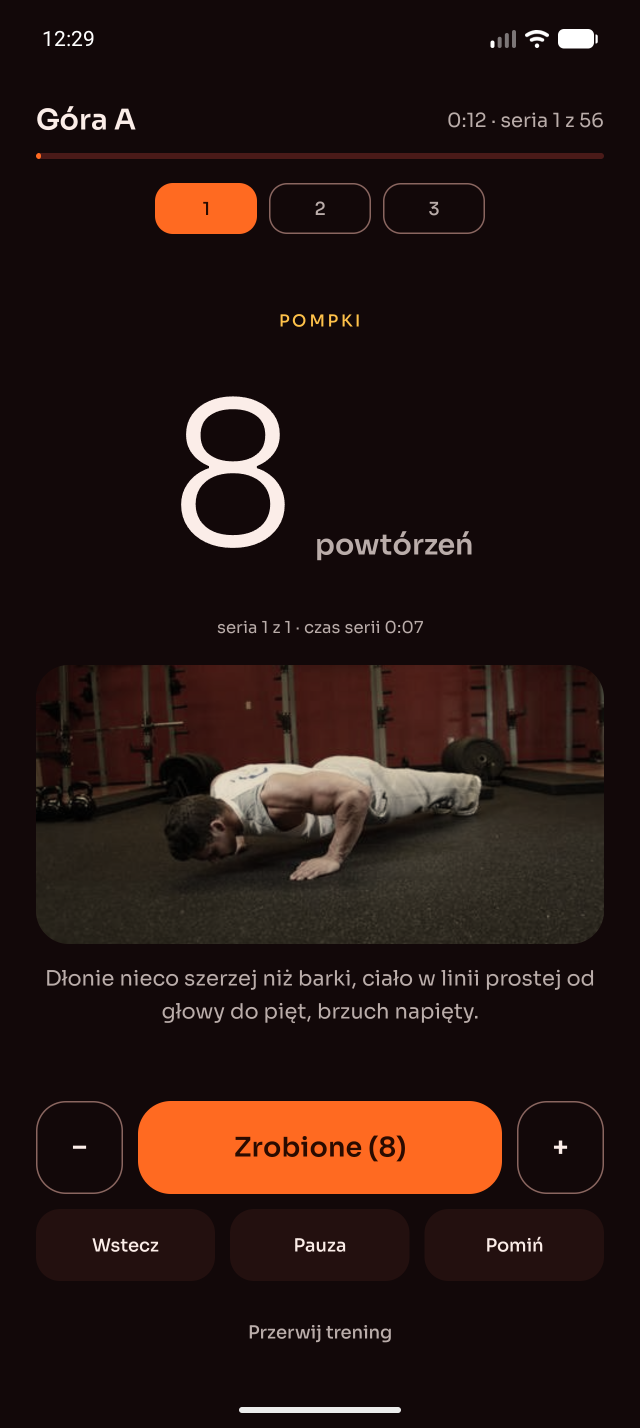
Counted reps and timed sets, rests you can extend, a beep on 3-2-1, vibration and a spoken announcement of what comes next. It keeps running with the screen off, and the notification carries a chronometer and the controls.
A day you skip deletes nothing: the workout waits for you. A run of consecutive days survives a rest day that the plan itself asked for.
An exercise needs its whole kit, and without it the app offers a substitute for the same muscle group. The difficulty level changes whenever you want, mid-cycle included: the steps you have done stay, the rest is recalculated.
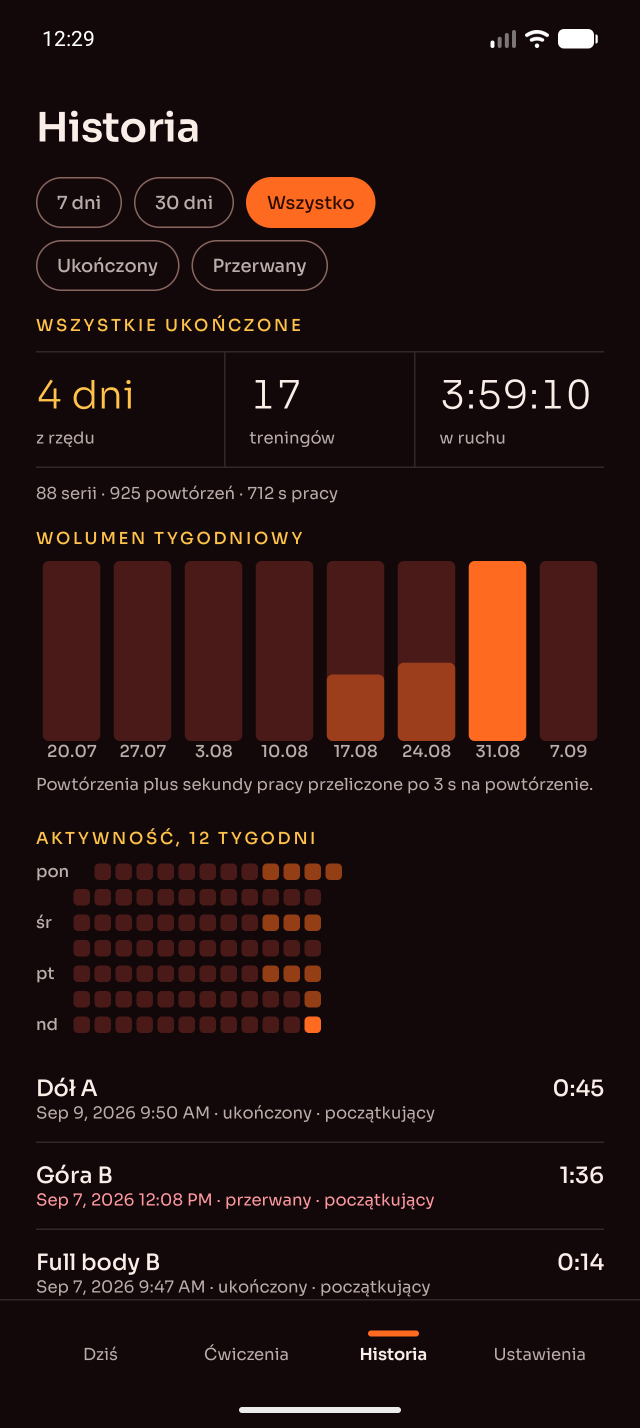
History with filters, statistics for a period, volume and record charts, an activity calendar and a backup in one JSON file. Complete a target and it proposes one more rep, five more seconds, or a harder variant of the exercise.
From the four-step wizard to the history that comes out of it.
Everything the app knows about you sits on your phone, and it stays there.
No ads, no subscription, no account, nothing collected. The single request that goes out is the question about a newer release, and only when you ask for it.
At the hour you pick, and only on a day you have not trained yet. Turn it off and the app stays quiet.
The whole history goes into one JSON file you keep yourself. There is no cloud to sync with and no copy on anyone else's server.